
Booking · Payments · Galleries
Your photography business, booked and paid online.
A branded booking site, scheduling, payments straight to your bank, and private galleries for your clients. Built for photographers who'd rather be shooting.
No credit card to start · Payments go to your own Stripe account

you'll love for years
More ways for clients to pay
Studios on Felyx Photos can accept Link, Apple Pay and Klarna.
Give your clients the checkout they already know, with one-tap wallets and pay-over-time options, on top of cards.



Payment methods are provided by Stripe and are not available to every studio, in every country or for every amount. To use them, a studio must qualify through the app and meet Stripe's requirements, and Stripe's and its partners' terms and fees apply. Availability is not guaranteed.
Your brand, your site
A booking site that looks like your studio.
Pick a home page template and one of ten color palettes, add your photos and wording, and publish at yourname.staging.felyxphotos.com, or your own domain.
See the templatesBooking that fits how you work
Clients pick the times. You make the call.
Portrait clients choose three times and you approve one. Wedding couples pick a date and their card is only held until you confirm. Real estate agents book straight into your calendar. Offer fixed packages or send custom quotes.
How booking worksPaid before you shoot
Deposits, balances and payment plans on autopilot.
Money goes straight to your own Stripe account. Take a deposit at booking, split a wedding into automatic installments, and send signed contracts without chasing anyone.
See what's includedEverything else a studio needs
Proofing galleries
Clients heart their favorites, buy extra photos, and download the full set in one zip.
Contracts & e-signatures
Wedding contracts filled in automatically, signed online, countersigned and archived.
Client messages
One conversation per booking, with email alerts, so nothing gets lost in your inbox.
Storage included
Photos are stored safely for you. No buckets, no file links, nothing to set up.
Share tools
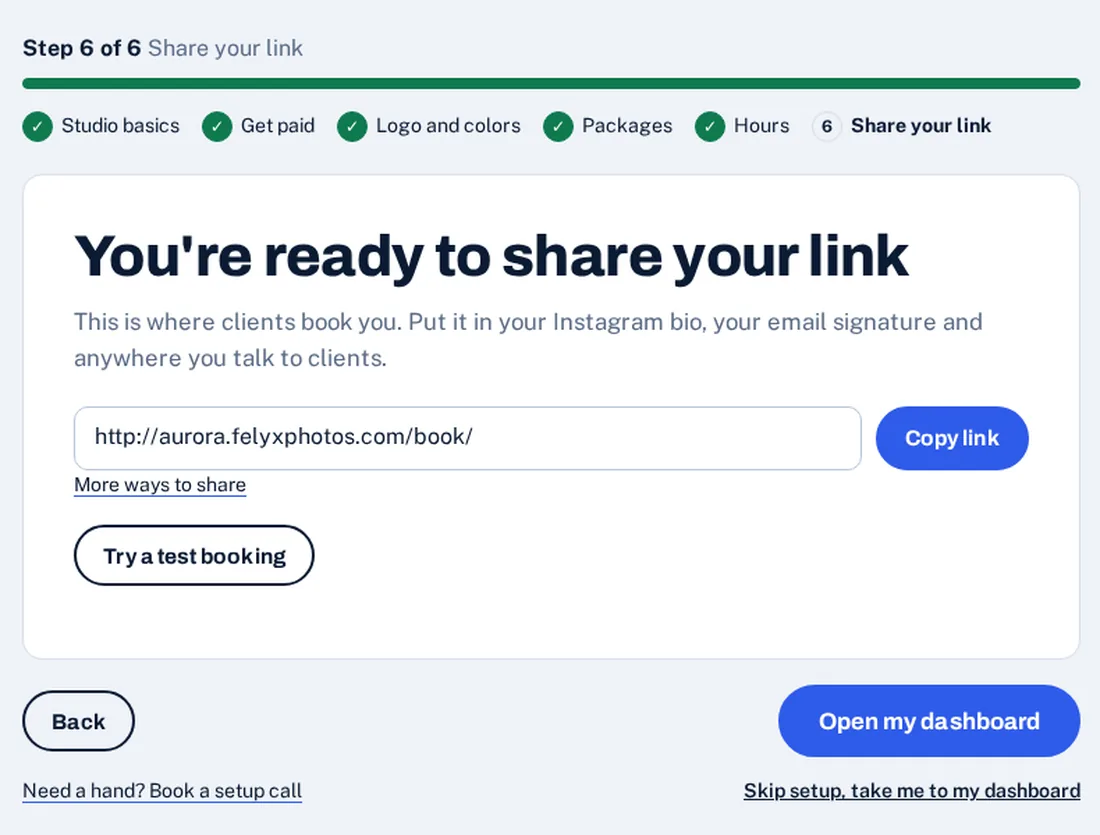
A booking button, email signature and QR code that send clients straight to you.
Your own domain
On Studio and Pro: use book.yourstudio.com, with HTTPS set up for you.
ways to book: three-choice times, wedding dates, or instant
color palettes and multiple home page layouts
storage accounts to set up or pay for separately
link to share in emails, ads and your socials
Easy setup
A guided setup that does the heavy lifting.
Answer a few questions and we'll build a working studio for you. Change what you like and come back to the rest any time.
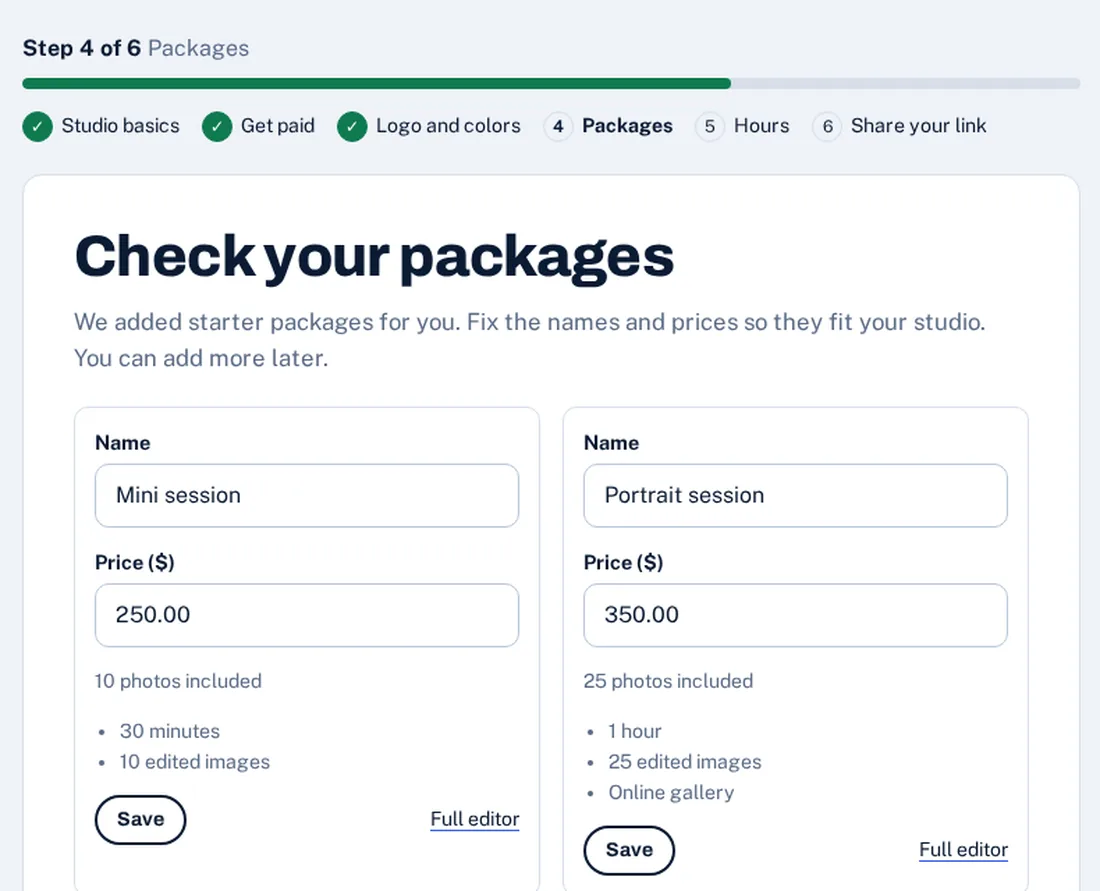
- Guided setup wizard. Six short steps: studio basics, Stripe, logo and colors, packages, hours, and your link to share.
- Starter packages for your kind of work. Choose weddings, portraits, newborn and family, real estate or events and start with packages, add-ons and booking questions already written.
- Help when you want it. Short setup emails in your first week, small ⓘ tips that explain things in plain language, and an optional 20-minute setup call.
-
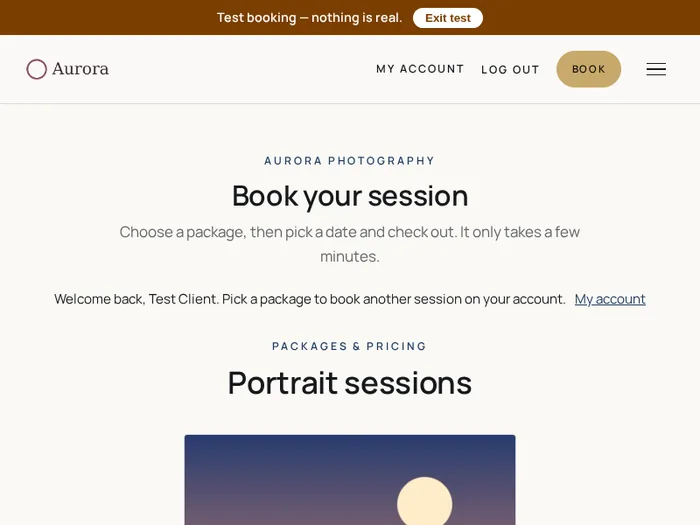
Try a test booking
Walk through your own booking page as a pretend client before you go live. Payments are simulated, only you get the emails, and nothing shows up in your real bookings.
-
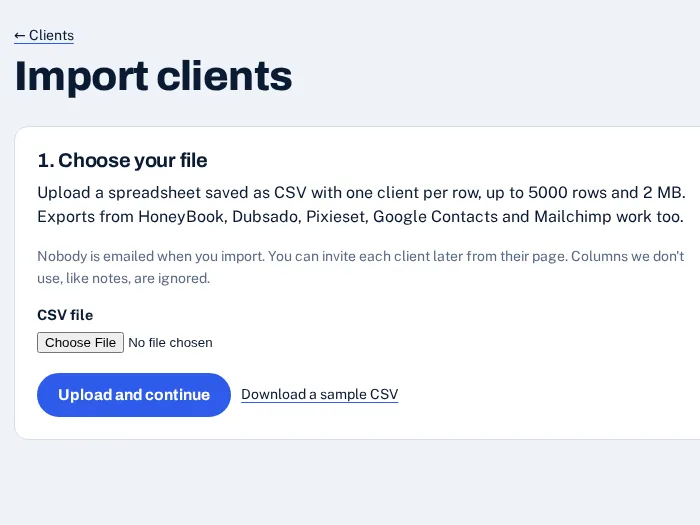
Bring your clients
Upload a CSV of your existing clients, from a spreadsheet or an export from your current tool. Nobody is emailed when you import.
Your address
A free address, or bring your own domain.
Every studio gets yourname.staging.felyxphotos.com for free, ready the moment you sign up.
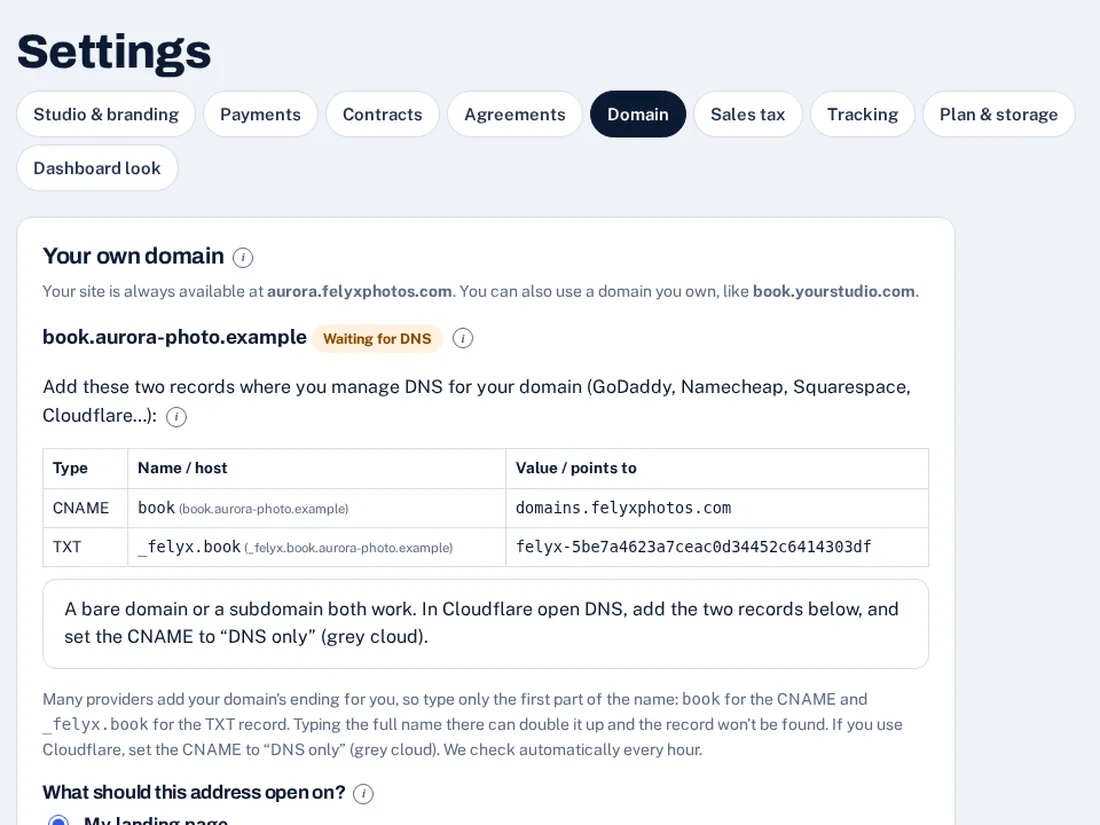
On Studio and Pro you can use a domain you own, like book.yourstudio.com. Here's how it works:
Add your domain
In Settings, open Domain and type the domain you own, like book.yourstudio.com.
Add two DNS records
Where you manage your domain, add the two records we show you: a CNAME that points your domain to us, and a TXT record that proves it's yours.
We switch it on
We check automatically every hour. Once your records are found we set up HTTPS and move your site to your domain, and your free address forwards there.
You buy the domain from a registrar such as GoDaddy or Namecheap. A subdomain like book.yourstudio.com is usually the easiest to connect, and the page shows exactly what to type for your provider.
How it works
Taking bookings in an afternoon
Start your studio
Choose your address, your kinds of shoots and your packages. Your site is live right away.
Connect Stripe
Link your Stripe account in a few clicks so payments land in your bank.
Share your link
Put it in your bio, emails and ads. Clients book, pay and sign on their own.
Simple plans that grow with you
Start free with real clients. Upgrade when you need more room or a team.
Solo
For the photographer who does it all.
- 100 GB photo storage
- Just you
- 14-day free trial
- No booking fees
Studio
Most popularBring your team: photographers, shooters, assistants.
- 500 GB photo storage
- Up to 5 people
- Booking button, email signature, QR codes & link stats
- Your own domain
- Printable gift cards
- 14-day free trial
- No booking fees
Pro
Unlimited team and the most storage.
- 2 TB photo storage
- Unlimited team
- Booking button, email signature, QR codes & link stats
- Your own domain
- Printable gift cards
- 14-day free trial
- No booking fees
Ready when you are
Spend less time on admin and more time behind the camera.
Set up your studio for free. No credit card needed until you choose a paid plan.